

Table of Contents
Introduction
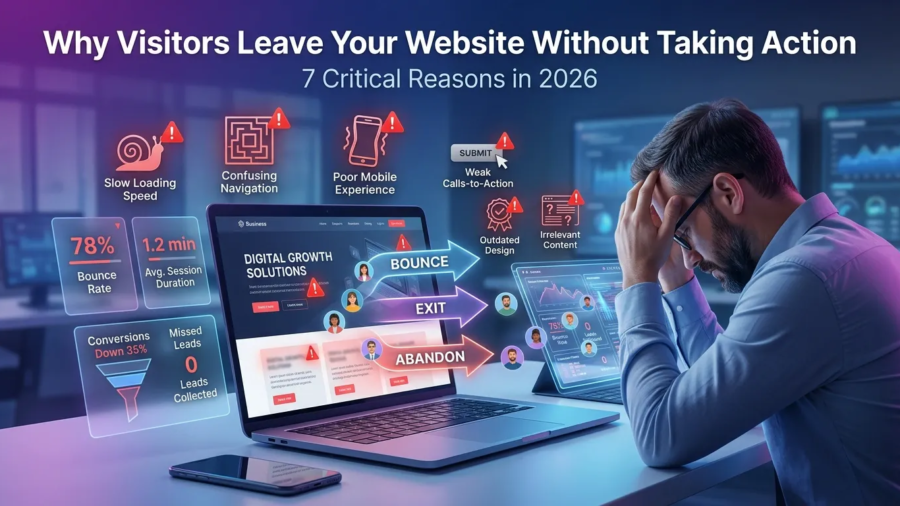
Why visitors leave your website without taking action is one of the biggest challenges businesses face in 2026. Many business owners invest time and money into building a website, creating content, and driving traffic, only to discover that visitors are leaving without contacting them, requesting a quote, or making a purchase.
The truth is that getting traffic is only part of the equation. If your website fails to engage visitors, build trust, and guide them toward a clear action, you will continue losing potential customers. Understanding why visitors leave your website without taking action can help you identify weaknesses in your website and improve your conversion rates.
In this guide, we’ll explore seven critical reasons visitors abandon websites and what you can do to keep them engaged.

Why Website Conversions Matter More Than Ever in 2026
Businesses today face more competition online than ever before. Users have countless options available, and their expectations continue to rise.
Modern visitors expect:
- Fast-loading pages
- Clear messaging
- Professional design
- Mobile-friendly experiences
- Easy navigation
- Instant trust signals
If your website fails to meet these expectations, visitors often leave within seconds.
Many businesses focus heavily on traffic but ignore conversion optimization. As a result, they attract visitors but struggle to generate leads or sales.
1. Your Value Proposition Is Not Clear
One of the most common reasons visitors leave a website is confusion.
When someone lands on your homepage, they should immediately understand:
- What you do
- Who you help
- Why they should choose you
Many websites use vague headlines and generic marketing language that fail to communicate their value.
Examples of weak headlines:
- “Welcome to Our Website”
- “We Build Digital Experiences”
- “Innovative Solutions for Modern Businesses”
These statements sound impressive but tell visitors very little.
A strong headline clearly communicates your offer and target audience.
For example:
“Professional WordPress Websites That Help Small Businesses Get More Clients.”
This instantly explains what you do and who you help.

2. Your Website Loads Too Slowly
Website speed has a direct impact on user experience and conversions.
Studies consistently show that visitors are more likely to abandon slow websites.
Common causes of slow websites include:
- Large image files
- Poor hosting
- Too many plugins
- Unoptimized code
- Excessive animations
A slow website can negatively affect:
- User engagement
- Search engine rankings
- Conversion rates
To improve performance:
- Compress images
- Use quality hosting
- Enable caching
- Remove unnecessary plugins
- Optimize scripts and files
You can test your website speed using Google PageSpeed Insights.
3.Your Navigation Is Confusing
Visitors should never have to guess where to click next.
Poor navigation creates frustration and causes users to leave.
Common navigation mistakes include:
- Too many menu items
- Unclear labels
- Cluttered layouts
- Hidden important pages
Your navigation should help visitors quickly find:
- Services
- Pricing
- Portfolio
- Contact information
- About page
The easier it is to navigate your website, the longer visitors are likely to stay.
Your Website Looks Outdated
First impressions matter.
Visitors often judge a business based on the appearance of its website.
An outdated website can make a business appear:
- Unprofessional
- Untrustworthy
- Inactive
- Behind competitors
Signs of an outdated website include:
- Old design styles
- Poor typography
- Low-quality images
- Inconsistent branding
- Non-responsive layouts
Modern websites should focus on:
- Clean layouts
- Professional visuals
- Strong branding
- Mobile responsiveness
- User-friendly design

5. Your Calls-To-Action Are Weak or Missing
Visitors need clear direction.
A call-to-action (CTA) tells users what to do next.
Without strong CTAs, visitors may leave even if they are interested in your services.
Weak CTA examples:
- Learn More
- Click Here
- Read More
Stronger CTA examples:
- Request a Free Consultation
- Get a Website Audit
- Book a Discovery Call
- Start Your Project Today
Effective CTAs should be:
- Visible
- Clear
- Action-oriented
- Relevant to visitor intent
Every important page should contain at least one strong CTA.
6. Your Content Does Not Match Visitor Intent
Another reason why visitors leave your website without taking action is that the content fails to address their needs.
Visitors arrive with specific questions and expectations.
If your content does not provide relevant answers, they will quickly leave.
Examples include:
- Attracting the wrong audience
- Targeting irrelevant keywords
- Providing shallow information
- Ignoring customer pain points
Before creating content, understand your audience’s goals and challenges.
For more guidance, read:
How to Identify Your Target Audience in 2026: 9 Powerful Strategies for Business Growth
When content aligns with visitor intent, engagement and conversions typically improve.
7. There Are No Trust Signals
Trust is a major factor in conversion decisions.
Visitors want evidence that your business is credible and capable of delivering results.
Trust signals include:
- Client testimonials
- Case studies
- Portfolio examples
- Reviews
- Certifications
- Professional branding
Without trust signals, visitors may hesitate to contact you.
Adding social proof can significantly improve conversion rates.

Why Visitors Leave Your Website Without Taking Action: Key Takeaways
Understanding why visitors leave your website without taking action is essential if you want to generate more leads and customers online.
The most common reasons include:
- Unclear messaging
- Slow loading speeds
- Confusing navigation
- Outdated design
- Weak calls-to-action
- Poor content alignment
- Lack of trust signals
Addressing these issues can improve user experience and help convert more visitors into paying customers.
How to Improve Website Conversions in 2026
Use this quick checklist:
- Clarify your value proposition
- Improve page speed
- Simplify navigation
- Modernize website design
- Strengthen CTAs
- Create audience-focused content
- Add testimonials and case studies
- Optimize for mobile users
- Improve SEO strategy
For more website optimization tips, read:
How to Build a Website That Gets Clients (and Avoid Common Mistakes 2026)
7 Critical Reasons Why Your Website Is Not Getting Traffic (And How to Fix It Fast in 2026)
Conclusion
Many businesses focus heavily on attracting traffic but overlook what happens after visitors arrive.
The reality is that website success depends on both traffic and conversions.
By understanding why visitors leave your website without taking action and fixing the issues discussed in this guide, you can improve engagement, increase trust, and generate more leads from your website.
Small improvements often lead to significant long-term results.
Frequently Asked Questions
Why do visitors leave websites quickly?
Visitors often leave due to slow loading speeds, poor design, confusing navigation, unclear messaging, or lack of trust.
Does website design affect conversions?
Yes. Website design strongly influences trust, user experience, and whether visitors take action.
How can I reduce my website bounce rate?
Improve website speed, create better content, simplify navigation, and add stronger calls-to-action.
Why is my website getting traffic but no leads?
This often happens when the website attracts the wrong audience or fails to guide visitors toward a conversion action.
Ready to Turn More Website Visitors Into Customers?
If your website is getting traffic but not generating leads, the problem may not be your marketing—it may be your website experience.
I help businesses create high-performing websites that are designed to build trust, improve conversions, and attract more clients.
Whether you need:
- A new website
- A website redesign
- SEO improvements
- Conversion optimization
I’m here to help.
Contact me today for a free website review and discover what’s preventing visitors from taking action.


