
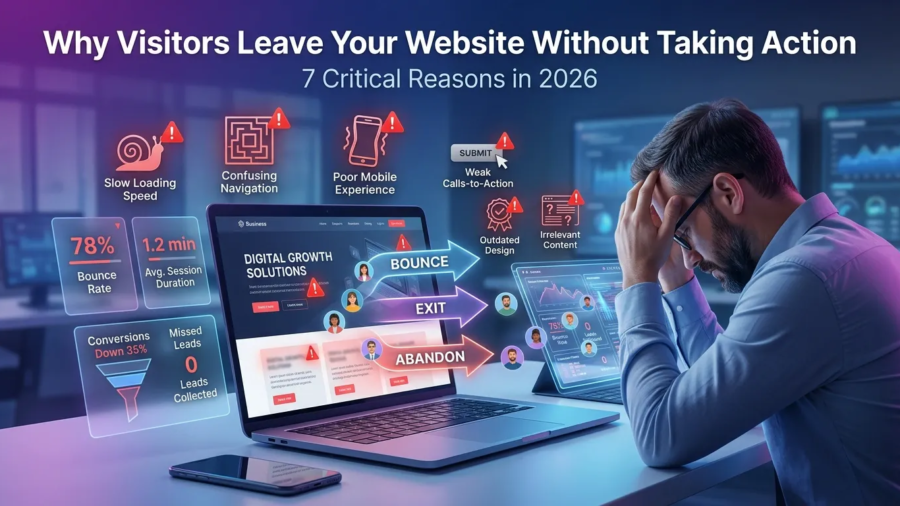
Why Visitors Leave Your Website Without Taking Action. 7 Critical Reasons in 2026

Why Visitors Leave Your Website Without Taking Action. 7 Critical Reasons in 2026

Introduction

Why visitors leave your website without taking action is one of the biggest challenges businesses face in 2026. Many business owners invest time and money into building a website, creating content, and driving traffic, only to discover that visitors are leaving without contacting them, requesting a quote, or making a purchase.

The truth is that getting traffic is only part of the equation. If your website fails to engage visitors, build trust, and guide them toward a clear action, you will continue losing potential customers. Understanding why visitors leave your website without taking action can help you identify weaknesses in your website and improve your conversion rates.

In this guide, we’ll explore seven critical reasons visitors abandon websites and what you can do to keep them engaged.

why visitors leave your website without taking action

Why Website Conversions Matter More Than Ever in 2026

Businesses today face more competition online than ever before. Users have countless options available, and their expectations continue to rise.

Modern visitors expect:

  • Fast-loading pages
  • Clear messaging
  • Professional design
  • Mobile-friendly experiences
  • Easy navigation
  • Instant trust signals

If your website fails to meet these expectations, visitors often leave within seconds.

Many businesses focus heavily on traffic but ignore conversion optimization. As a result, they attract visitors but struggle to generate leads or sales.

1. Your Value Proposition Is Not Clear

One of the most common reasons visitors leave a website is confusion.

When someone lands on your homepage, they should immediately understand:

  • What you do
  • Who you help
  • Why they should choose you

Many websites use vague headlines and generic marketing language that fail to communicate their value.

Examples of weak headlines:

  • “Welcome to Our Website”
  • “We Build Digital Experiences”
  • “Innovative Solutions for Modern Businesses”

These statements sound impressive but tell visitors very little.

A strong headline clearly communicates your offer and target audience.

For example:

“Professional WordPress Websites That Help Small Businesses Get More Clients.”

This instantly explains what you do and who you help.

clear website headline example

2. Your Website Loads Too Slowly

Website speed has a direct impact on user experience and conversions.

Studies consistently show that visitors are more likely to abandon slow websites.

Common causes of slow websites include:

  • Large image files
  • Poor hosting
  • Too many plugins
  • Unoptimized code
  • Excessive animations

A slow website can negatively affect:

  • User engagement
  • Search engine rankings
  • Conversion rates

To improve performance:

  • Compress images
  • Use quality hosting
  • Enable caching
  • Remove unnecessary plugins
  • Optimize scripts and files

You can test your website speed using Google PageSpeed Insights.

3.Your Navigation Is Confusing

Visitors should never have to guess where to click next.

Poor navigation creates frustration and causes users to leave.

Common navigation mistakes include:

  • Too many menu items
  • Unclear labels
  • Cluttered layouts
  • Hidden important pages

Your navigation should help visitors quickly find:

  • Services
  • Pricing
  • Portfolio
  • Contact information
  • About page

The easier it is to navigate your website, the longer visitors are likely to stay.

Your Website Looks Outdated

First impressions matter.

Visitors often judge a business based on the appearance of its website.

An outdated website can make a business appear:

  • Unprofessional
  • Untrustworthy
  • Inactive
  • Behind competitors

Signs of an outdated website include:

  • Old design styles
  • Poor typography
  • Low-quality images
  • Inconsistent branding
  • Non-responsive layouts

Modern websites should focus on:

  • Clean layouts
  • Professional visuals
  • Strong branding
  • Mobile responsiveness
  • User-friendly design
outdated business website design example

5. Your Calls-To-Action Are Weak or Missing

Visitors need clear direction.

A call-to-action (CTA) tells users what to do next.

Without strong CTAs, visitors may leave even if they are interested in your services.

Weak CTA examples:

  • Learn More
  • Click Here
  • Read More

Stronger CTA examples:

  • Request a Free Consultation
  • Get a Website Audit
  • Book a Discovery Call
  • Start Your Project Today

Effective CTAs should be:

  • Visible
  • Clear
  • Action-oriented
  • Relevant to visitor intent

Every important page should contain at least one strong CTA.

6. Your Content Does Not Match Visitor Intent

Another reason why visitors leave your website without taking action is that the content fails to address their needs.

Visitors arrive with specific questions and expectations.

If your content does not provide relevant answers, they will quickly leave.

Examples include:

  • Attracting the wrong audience
  • Targeting irrelevant keywords
  • Providing shallow information
  • Ignoring customer pain points

Before creating content, understand your audience’s goals and challenges.

For more guidance, read:

How to Identify Your Target Audience in 2026: 9 Powerful Strategies for Business Growth

When content aligns with visitor intent, engagement and conversions typically improve.

7. There Are No Trust Signals

Trust is a major factor in conversion decisions.

Visitors want evidence that your business is credible and capable of delivering results.

Trust signals include:

  • Client testimonials
  • Case studies
  • Portfolio examples
  • Reviews
  • Certifications
  • Professional branding

Without trust signals, visitors may hesitate to contact you.

Adding social proof can significantly improve conversion rates.

website trust signals and testimonials

Why Visitors Leave Your Website Without Taking Action: Key Takeaways

Understanding why visitors leave your website without taking action is essential if you want to generate more leads and customers online.

The most common reasons include:

  • Unclear messaging
  • Slow loading speeds
  • Confusing navigation
  • Outdated design
  • Weak calls-to-action
  • Poor content alignment
  • Lack of trust signals

Addressing these issues can improve user experience and help convert more visitors into paying customers.

How to Improve Website Conversions in 2026

Use this quick checklist:

  • Clarify your value proposition
  • Improve page speed
  • Simplify navigation
  • Modernize website design
  • Strengthen CTAs
  • Create audience-focused content
  • Add testimonials and case studies
  • Optimize for mobile users
  • Improve SEO strategy

For more website optimization tips, read:

How to Build a Website That Gets Clients (and Avoid Common Mistakes 2026)

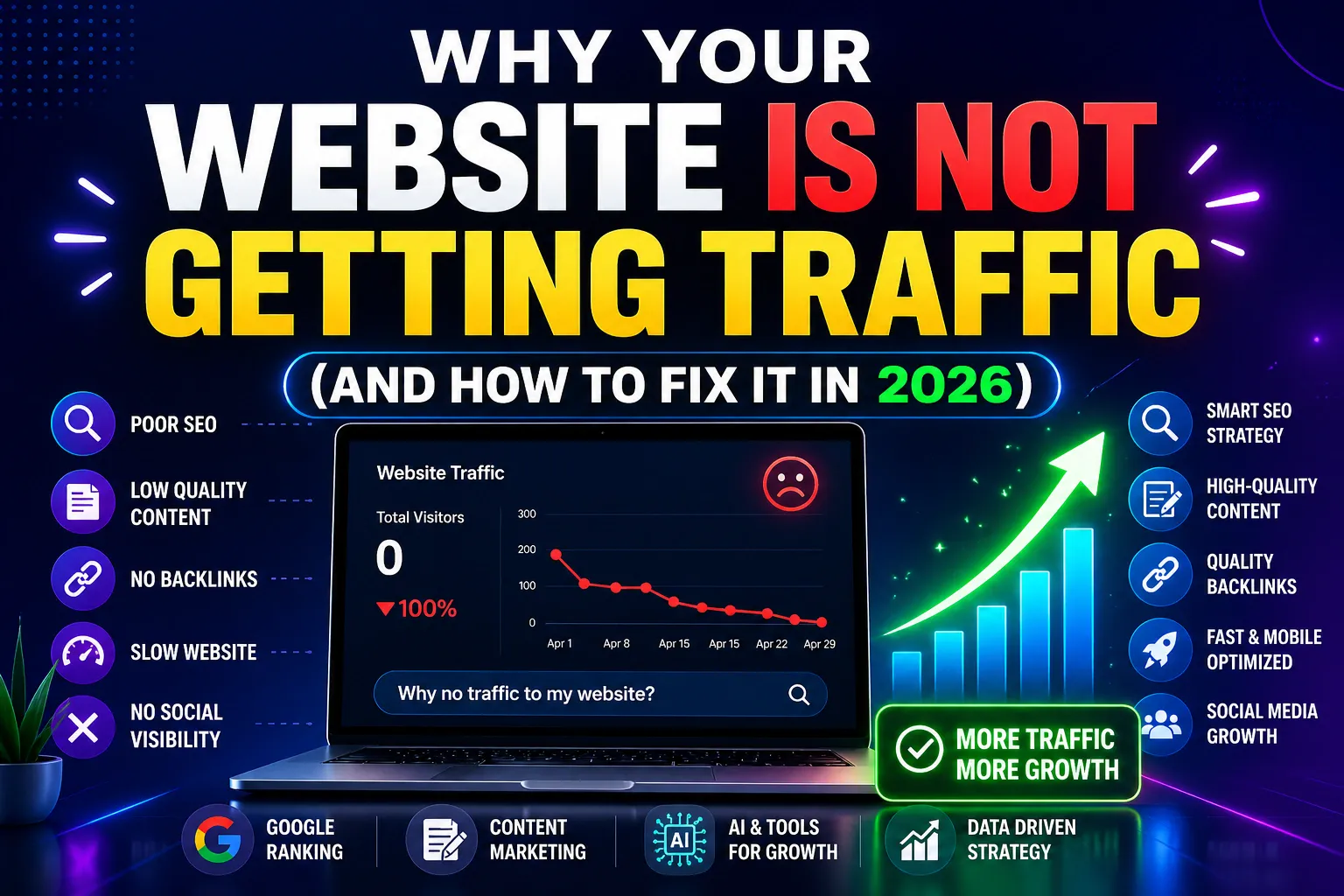
7 Critical Reasons Why Your Website Is Not Getting Traffic (And How to Fix It Fast in 2026)

Conclusion

Many businesses focus heavily on attracting traffic but overlook what happens after visitors arrive.

The reality is that website success depends on both traffic and conversions.

By understanding why visitors leave your website without taking action and fixing the issues discussed in this guide, you can improve engagement, increase trust, and generate more leads from your website.

Small improvements often lead to significant long-term results.

Frequently Asked Questions

Why do visitors leave websites quickly?

Visitors often leave due to slow loading speeds, poor design, confusing navigation, unclear messaging, or lack of trust.

Does website design affect conversions?

Yes. Website design strongly influences trust, user experience, and whether visitors take action.

How can I reduce my website bounce rate?

Improve website speed, create better content, simplify navigation, and add stronger calls-to-action.

Why is my website getting traffic but no leads?

This often happens when the website attracts the wrong audience or fails to guide visitors toward a conversion action.

Ready to Turn More Website Visitors Into Customers?

If your website is getting traffic but not generating leads, the problem may not be your marketing—it may be your website experience.

I help businesses create high-performing websites that are designed to build trust, improve conversions, and attract more clients.

Whether you need:

  • A new website
  • A website redesign
  • SEO improvements
  • Conversion optimization

I’m here to help.

Contact me today for a free website review and discover what’s preventing visitors from taking action.

Website Design Tips 9 Powerful Ways to Improve Your Website (2026 Guide)

Website Design Tips: 9 Powerful Ways to Improve Your Website (2026 Guide)

Introduction

Website design tips are essential if you want your website to perform well and convert visitors into clients.

A website is not just about looking good. It must be clear, easy to use, and designed to guide users toward action.

If you apply the right website design tips, you can improve user experience and increase conversions significantly.

In this guide, you’ll learn practical ways to improve your website design.

website design tips modern layout example

Website Design Tips That Improve Performance

When applying website design tips, the goal is to create a website that is both attractive and functional.

Good design helps users:

  • Understand your message quickly
  • Navigate easily
  • Take action

Let’s go through the most important tips.

1. Keep Your Design Simple

Simplicity improves clarity.

A simple design helps users focus on what matters.

Avoid:

  • Too many colors
  • Too many elements
  • Visual clutter

Clean design improves user experience.

2. Use Clear Headlines

Your headline is the first thing users see.

It should clearly explain what you offer.

A strong headline:

  • Is simple
  • Is direct
  • Focuses on value

If users don’t understand your message quickly, they will leave.

3. Add Strong Call-To-Actions

Every website needs a clear call-to-action.

Without it, users won’t know what to do.

Effective CTAs:

  • Use action words
  • Stand out visually
  • Are placed strategically

This is one of the most important website design tips for conversions.

call to action website example

4. Optimize for Mobile

Most users browse on mobile devices.

If your website is not mobile-friendly, you lose traffic and potential clients.

Make sure your site:

  • Adapts to all screen sizes
  • Loads quickly
  • Is easy to navigate

Mobile optimization is essential.

5. Improve Website Speed

Speed affects both user experience and SEO.

A slow website leads to high bounce rates.

To improve speed:

  • Compress images
  • Use good hosting
  • Minimize unnecessary scripts

You can test your website using Google PageSpeed Insights.

6. Use High-Quality Images

Images play a big role in design.

Low-quality visuals can reduce trust.

Use:

  • Clear images
  • Professional visuals
  • Consistent style

Good visuals improve the overall experience.

7. Build Trust Elements

Trust increases conversions.

If users don’t trust your website, they won’t take action.

Add:

  • Testimonials
  • Portfolio
  • Contact details

Trust is essential for success. how to get clients from your website

8. Use Proper Structure

A well-structured website is easier to navigate.

Important elements:

  • Clear sections
  • Logical layout
  • Internal links

Good structure improves both SEO and user experience.

If your structure is weak, your website may struggle to perform.
learn more why your website is not getting traffic

9. Focus on User Experience

User experience is the foundation of good design.

Your website should be:

  • Easy to use
  • Fast
  • Clear

Good UX keeps visitors engaged and improves results.

user experience website layout

Final Thoughts

Applying the right website design tips can transform your website into a powerful business tool.

Design is not just about appearance—it’s about performance.

When your website is clear, fast, and user-friendly, it becomes much more effective.

how much does a website cost

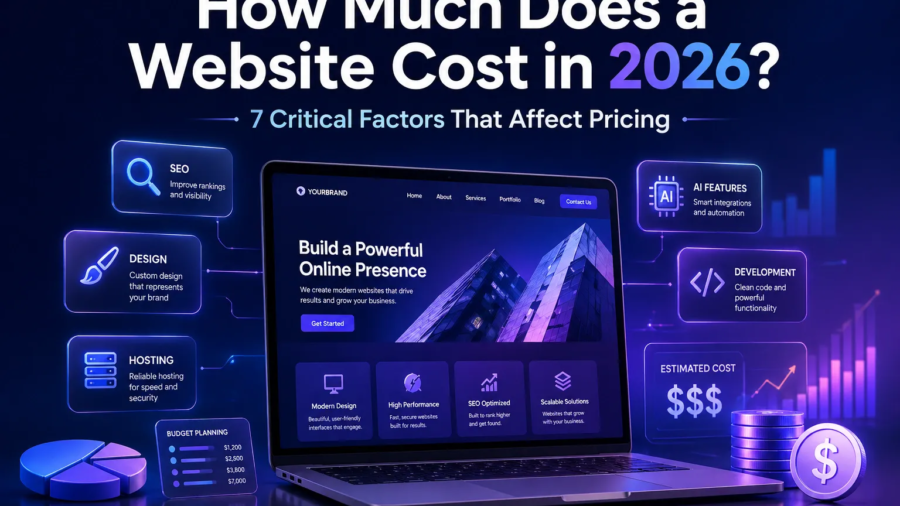
How Much Does a Website Cost in 2026? 7 Critical Factors That Affect Pricing

Introduction

How much does a website cost is one of the first questions most business owners ask before starting a project.

The truth is, there is no fixed price. The cost depends on several factors, and without understanding them, you can easily overspend or make the wrong investment.

If you’re wondering how much a website costs, this guide will break everything down clearly so you can make the right decision.

website cost pricing illustration

How Much Does a Website Cost in 2026? (What You Need to Know)

If you’re trying to understand how much does a website cost, you need to look beyond just price.

A website is not a single product it’s a combination of design, development, features, and strategy.

The total cost depends on what you need your website to do.

Factor 1 – Type of Website

The type of website you need is the biggest cost factor.

Examples include:

  • Basic business website
  • Portfolio website
  • E-commerce website
  • Custom web application

A simple informational website costs much less than a fully functional online store.

Learn how to build a website that gets clients

Factor 2 – Design Complexity

Design plays a major role in pricing.

A basic template-based design is cheaper, while a custom design requires more time and expertise.

More complex design includes:

  • Custom layouts
  • Animations
  • Advanced UI/UX

Better design usually leads to better conversions.

website design comparison simple vs custom

Factor 3 – Features and Functionality

The more features your website has, the higher the cost.

Examples of features:

  • Contact forms
  • Booking systems
  • Payment integration
  • User accounts

Each feature requires development and testing.

Factor 4 – Content and SEO

Content creation and SEO also affect pricing.

A website without SEO will struggle to get traffic.

Costs may include:

  • Copywriting
  • Blog setup
  • Keyword optimization

If you want traffic, SEO is essential. this article will guide you SEO for beginners step-by-step guide

Factor 5 – Platform (WordPress vs Others)

The platform you choose impacts both cost and flexibility.

WordPress is often the best option because it is:

  • Cost-effective
  • Scalable
  • SEO-friendly

Other platforms may be easier to use but can become expensive over time.

Factor 6 – Developer or Agency

Who builds your website matters.

Options include:

  • Freelancer (lower cost)
  • Agency (higher cost)

Agencies usually provide more services, but freelancers can be more affordable.

Choose based on your budget and needs.

Factor 7 – Maintenance and Updates

A website is not a one-time cost.

Ongoing costs include:

  • Hosting
  • Domain
  • Updates
  • Security

Ignoring maintenance can lead to performance issues.

Typical Website Cost Ranges

Here is a general idea of pricing:

  • Basic website: $100 – $500
  • Professional business website: $500 – $3000
  • Advanced/custom website: $3000+

These are estimates and can vary depending on your requirements.

How to Choose the Right Budget

Choosing the right budget depends on your goals.

If your website is meant to generate clients, it is better to invest in quality.

Consider:

  • Your business goals
  • Your target audience
  • Expected return on investment

A cheap website that doesn’t convert is more expensive in the long run. learn how to get clients from your website

Final Thoughts

Understanding how much a website costs helps you plan better and invest wisely.

Instead of choosing the cheapest option, focus on building a website that delivers results and supports your business growth.

Need a Website That’s Worth the Investment?

I can help you with:

  • Website design
  • SEO optimization
  • Conversion strategy

Contact me and let’s build a website that works for your business.


How-to-Build-a-Website-That-Gets-Clients-and-Avoid-Common-Mistakes-2026

How to Build a Website That Gets Clients (and Avoid Common Mistakes 2026)

Introduction

Building a website is easy. Building a website that actually gets clients? That’s where most people fail. Many business owners invest time and money into creating a website, only to realize it brings no traffic, no leads, and no sales. If you’re wondering how to build a website that gets clients, you’re in the right place.

In this guide, you’ll learn:

  • How to structure your website for conversions
  • How to attract the right audience
  • How to turn visitors into paying clients

By the end, you’ll have a clear, actionable system to create a high-converting website.

How to Build a Website That Gets Clients (and Avoid Common Mistakes 2026)

Why Most Websites Fail to Get Clients

Most websites don’t fail because of poor design or lack of effort. They fail because they are built without a clear strategy. A website is not just an online presence; it is a tool meant to attract, engage, and convert visitors into clients. When that purpose is not clearly defined, even a visually appealing site will struggle to produce results.

Below are the main reasons why many websites fail to generate clients.

Here are the biggest reasons:

❌ No Clear Message

Visitors don’t understand what you do within 5 seconds.

❌ No Call-To-Action (CTA)

Users don’t know what to do next.

❌ Poor User Experience

Confusing layouts drive people away.

❌ No SEO Strategy

No visibility = no traffic.

A website should function as a sales machine, not just a digital brochure.

Bad vs good website comparison

website design that converts vs not

Step 1 – Define Your Goal and Target Audience

Before you design anything, define your strategy.

Ask yourself:

  • Who is my ideal client?
  • What problem am I solving?
  • What action do I want users to take?

For example:
If you offer web design services, your goal is not just traffic it’s getting inquiries or bookings.

Without clarity, your website will confuse visitors and confused visitors don’t convert.

how to identify your target audience

Step 2 – Choose the Right Platform

Your platform affects performance, flexibility, and SEO.

  • Highly customizable
  • SEO-friendly
  • Scalable for growth

Other Options:

  • Wix → Easy but limited
  • Webflow → Advanced but complex

If your goal is to build a website that gets clients, WordPress gives you the best long-term advantage. you can visit WordPress official website here

WordPress website builder interface

Step 3 – Create a High-Converting Homepage

Your homepage determines whether visitors stay or leave.

It must answer instantly:

  1. What do you do?
  2. Who do you help?
  3. Why should they trust you?

Key Elements of a High-Converting Homepage

✔ Clear Headline

Example:
“We Build Websites That Turn Visitors Into Clients”

✔ Strong Value Proposition

Explain the benefit, not just the service.

✔ Call-To-Action (CTA)

Examples:

  • Get Started
  • Book a Call
  • Request a Quote

Your CTA should appear above the fold.

high converting website homepage layout

Step 4 – Optimize for SEO (Get Traffic)

Without SEO, your website won’t be found.

To build a website that gets clients, you need consistent traffic.

Basic SEO Strategy:

  • Use keywords naturally
  • Optimize titles and meta descriptions
  • Write blog content regularly
  • Use internal linking

Read More: SEO for beginners step-by-step guide

Read More: why your website is not getting traffic

SEO ranking website on Google

Step 5 – Design for Conversions

Traffic alone is not enough.

Your website must convert visitors into clients.

1. Build Trust

  • Testimonials
  • Case studies
  • Portfolio

2. Keep It Simple

  • Clean layout
  • Easy navigation

3. Optimize for Mobile

Most users browse on mobile devices.

A slow or broken mobile site = lost clients.

mobile responsive website design

Step 6 – Add Essential Pages

A professional website must include:

  • Home
  • About
  • Services
  • Contact

Optional but powerful:

  • Blog (for SEO growth)
  • Portfolio (for trust)

Learn more on website structure for small business

Step 7 – Use AI to Improve Your Website

AI can dramatically improve your workflow and results.

You can use AI to:

  • Generate content
  • Automate customer responses
  • Create chatbots

This saves time and increases efficiency.

Full guild on; best AI tools for entrepreneurs and how to automate your business with AI

AI chatbot for website business

Build a Website That Gets Clients Common Mistakes to Avoid

Avoid these common issues:

❌ No clear CTA
❌ Slow website speed
❌ Overcomplicated design
❌ Ignoring SEO
❌ Not updating content

Fixing these alone can significantly improve your results.

Final Thoughts

If you want to build a website that gets clients, focus on:

  • Clear messaging
  • SEO strategy
  • Conversion design
  • User experience

A successful website is not just about looking good—it’s about getting results.

Need Help Building a Website That Gets Clients?

If you want a professional website that actually converts:

I can help you with:

  • WordPress website design
  • SEO optimization
  • AI integration

Contact me today and let’s build a website that grows your business.